The best social media management tools in 2026 are Meta Business Suite, Buffer, Hootsuite, Sprout Social, SocialPilot, Canva Content Planner, SocialBee, and Loomly. These tools help businesses schedule posts, manage comments and messages, collaborate with teams, and track performance across platforms like Facebook, Instagram, LinkedIn, and TikTok. For Malaysia SMEs, the best choice depends on your needs—Meta Business Suite works well for free Meta management, while tools like Hootsuite, Sprout Social, and SocialPilot offer advanced scheduling, analytics, and team workflows.
Table of Contents
Free social media management tools are useful for businesses of all sizes. They help teams schedule posts, manage content, and track engagement more easily. However, with so many tools available, choosing the right one can be confusing.
Based on my hands-on experience using different management tools, I tested and compared several popular social media management platforms. The reviews below are designed to help you quickly find the tool that best fits your business needs.
Quick Comparison Table
| Tool | Best For |
| Meta Business Suite | Facebook & Instagram all-in-one |
| Buffer | Simple scheduling |
| Hootsuite | Multi-platform campaigns |
| Sprout Social | Teams & analytics |
| SocialPilot | Cost-effective scheduling |
| Canva Content Planner | Visual design + posting |
| SocialBee | Content categorisation |
| Loomly | Content calendar + workflow |
8 Best Social Media Management Tools
1. Meta Business Suite
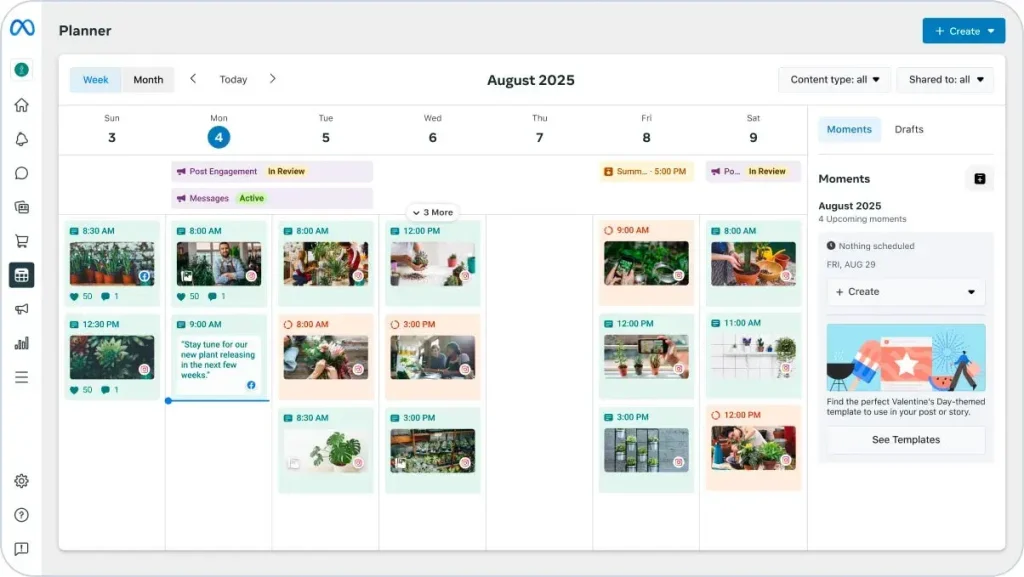
Meta Business Suite lets you manage everything for Facebook and Instagram in one place. You can post content, reply to messages, run ads, and check performance easily.
Key features:
- Post and schedule content anytime
- Run Facebook and Instagram ads
- Reply to messages and comments in one inbox
- See simple results like reach and engagement
- Manage multiple Facebook Pages
Pricing: Free to use
2. Buffer
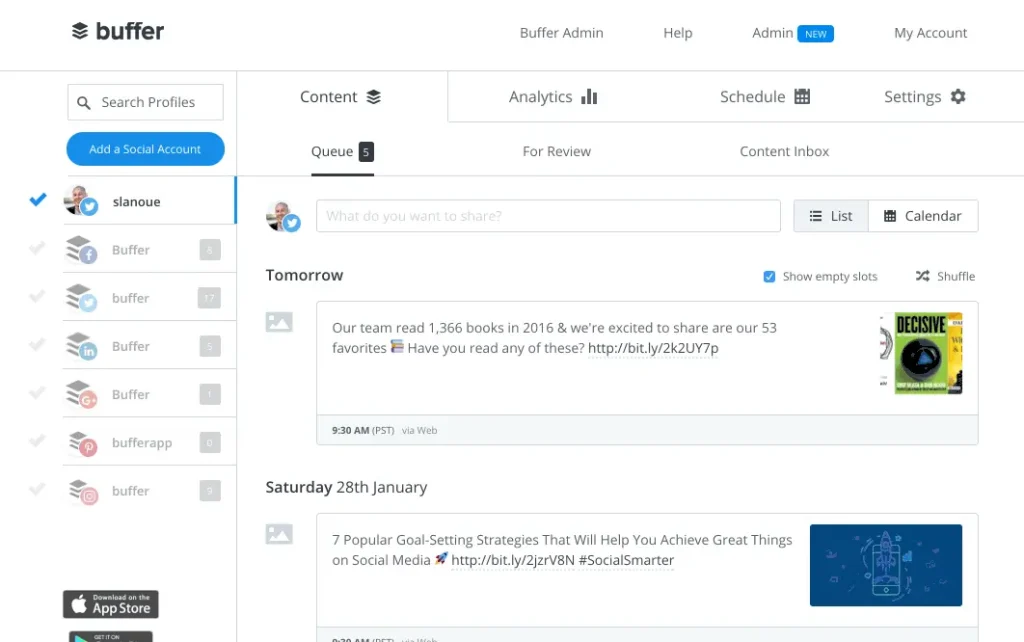
Buffer helps you post smarter, not harder. It’s easy to use and focuses on timing and performance, making it great for small to mid-size businesses.
Key features:
- Schedule posts at the best time automatically
- Work with team members for content approval
- Track links and basic conversions
- View simple performance reports
- Share posts quickly using the browser extension
Pricing: Paid plans start from USD 5/month
3. Hootsuite
Hootsuite helps you manage many social media accounts in one place. It’s useful for businesses running multiple campaigns and posting on different platforms.
Key features:
- Schedule and manage posts across multiple platforms
- Get content suggestions to post more consistently
- Track engagement with built-in analytics
- Monitor brand mentions and keywords
- Connect with ad management tools
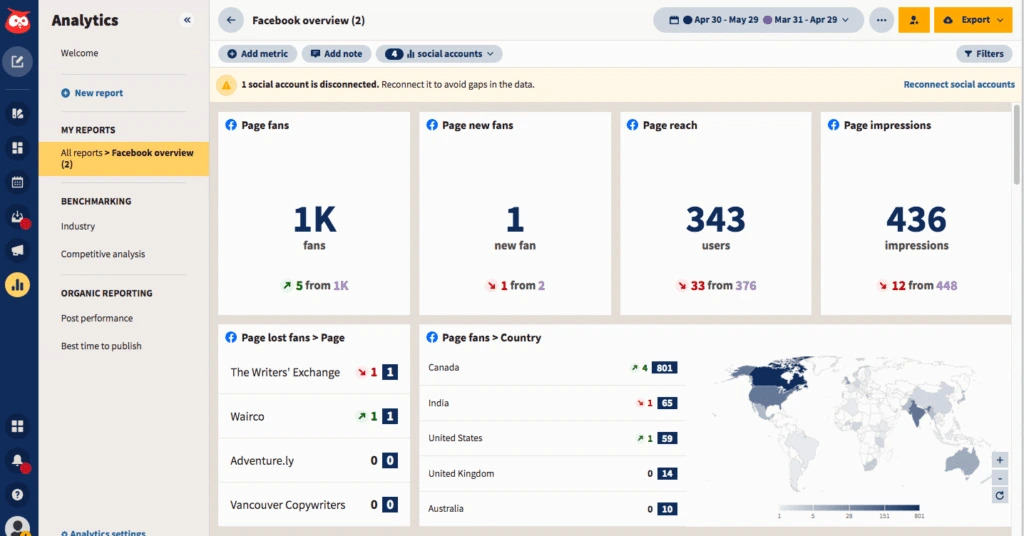
Pricing: Paid plans start from around USD 149/month
4. Sprout Social
Sprout Social is built for bigger teams and growing businesses. It helps organise messages, track performance clearly, and connect social media work with sales and CRM systems.
Key features:
- One inbox to manage messages from all platforms
- Detailed analytics and sentiment tracking
- Team workflows for approvals and task assignment
- Track campaigns using tags and reports
- Connect with CRM tools for sales follow-up
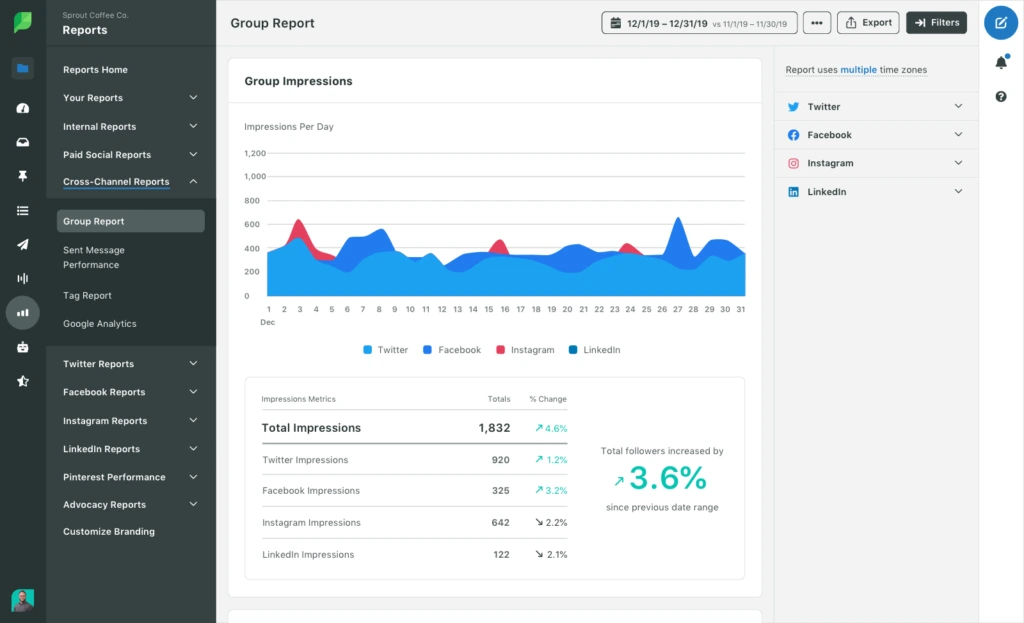
Pricing: Standard plan starts from USD 199 per user/month
5. SocialPilot
SocialPilot is a cost-effective social media tool made for small businesses, agencies, and teams managing multiple accounts. It gives you strong features without being too complicated.
Key features:
- Schedule posts across Facebook and other platforms
- Manage multiple social media accounts easily
- Collaborate with team members and clients
- Track basic analytics and performance
- Bulk schedule posts to save time
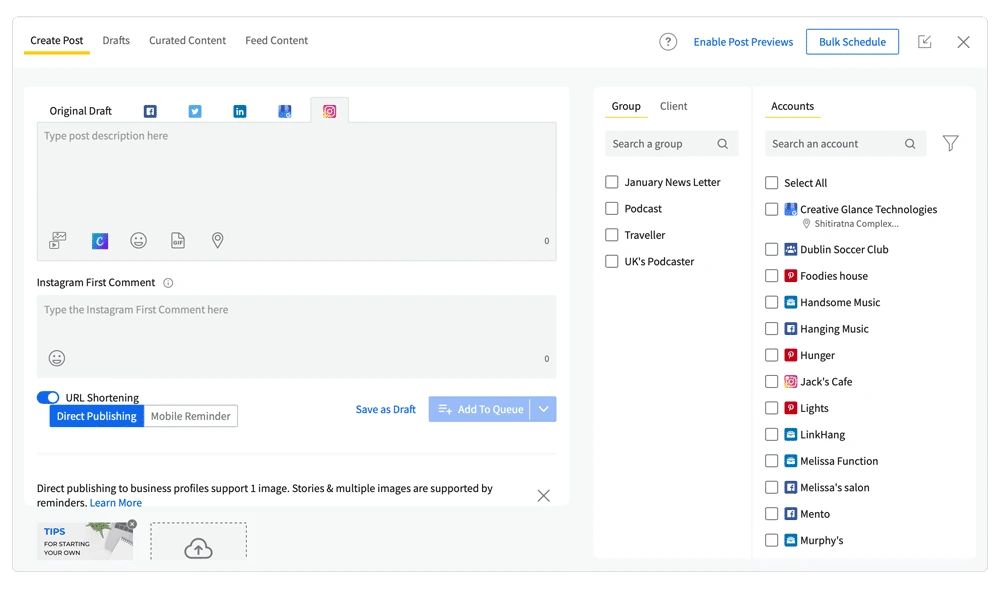
Pricing: Paid plans start from around USD 30/month
6. Canva Content Planner
Good visuals are important for Facebook marketing, and Canva makes designing easy even if you’re not a designer. Just log in, choose a template, and start creating posts.
Key features:
- Ready-made templates for Facebook posts, ads, and stories
- Easy drag-and-drop editor
- Team collaboration for feedback and edits
- Magic Resize to fit different platforms
- Brand Kit to keep your design consistent
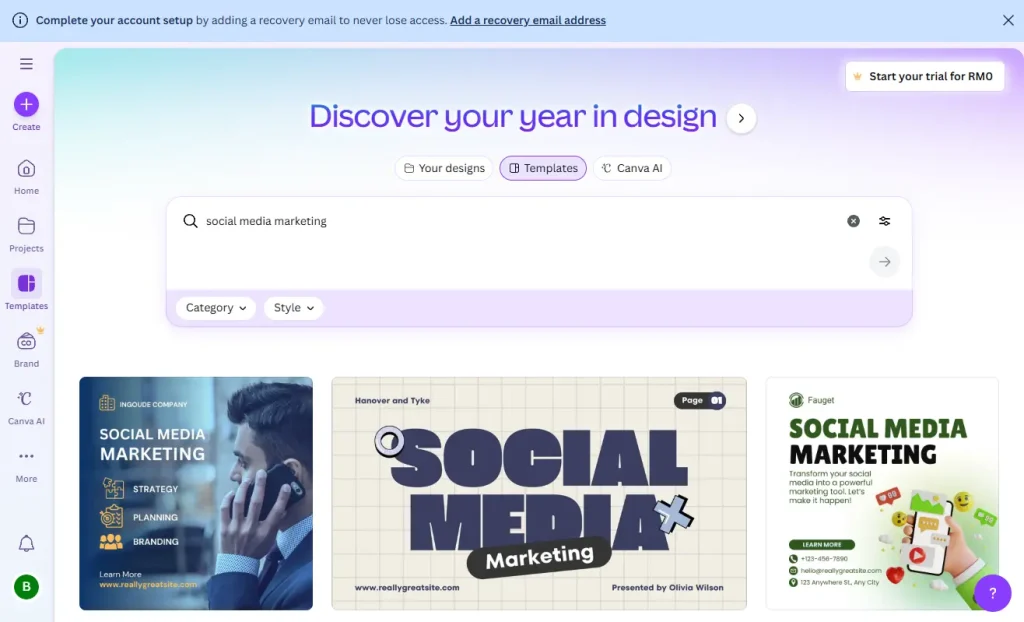
Pricing: Free plan available, Pro plan starts from around RM250/month per user
7. SocialBee
SocialBee is a social media planning and scheduling tool that helps you organise, publish, and analyse posts across many platforms from one dashboard. It’s useful for small businesses, creators, and social media managers who want smarter posting.
Key features:
- Schedule posts across Facebook and other social platforms
- Organise content into categories to keep your feed balanced
- Plan posts with calendar views and bulk upload
- Get insights on performance and posting schedules
- Work with your team on content and approvals
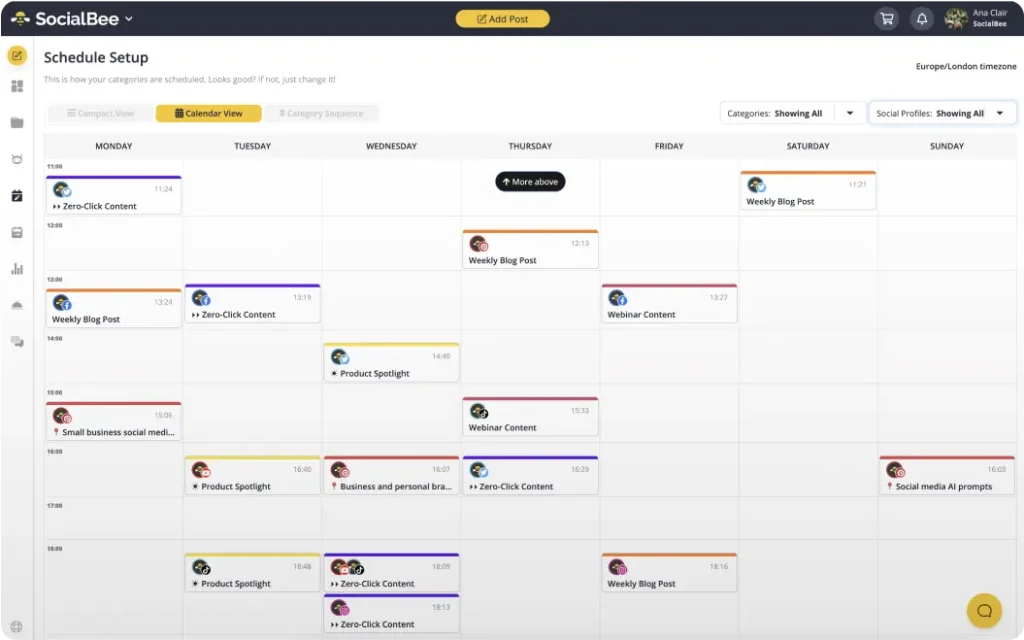
Pricing: Free trial available, paid plans start from around USD 29/month for basic scheduling and grow with more features and accounts.
8. Loomly
Loomly is a social media management tool that makes planning, creating, and posting content easier. It’s great for small teams and businesses that want a clear content calendar and simple workflow.
Key features:
- Content calendar to plan posts for Facebook and other platforms
- Easy post creation with suggestions and preview
- Approvals and collaboration tools for teams
- Track basic analytics and engagement
- Post scheduling and reminders
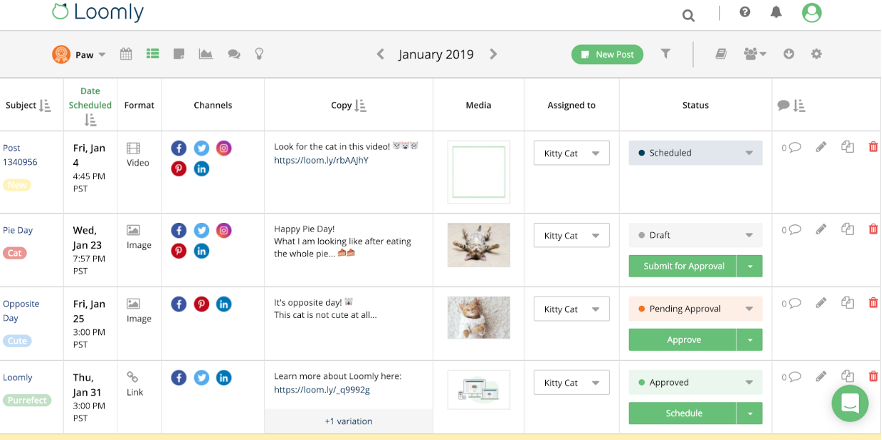
Pricing: Free trial available, paid plans start from around USD 35/month
How to Choose Social Media Management Tools
Whether you’re using a free plan or a paid tool, these factors will help you choose the right social media management platform. Use the checklist below to stay focused and find a tool that fits your business needs.
| Factor | What to Consider |
| Scalability | Can the tool support your social media growth over time? |
| Integrations | Does it work with the social platforms you already use? |
| Customisability | Can you adjust workflows to match how your team works? |
| Ease of Use | Is it simple for your team to learn and use daily? |
| Budget | Are there hidden limits, ads, or paid upgrades later on? |
| Security Safeguards | Does the tool offer basic security and account protection? |
| Support | Is customer support available when you need help? |
| Compliance | Does it help you follow platform rules and local regulations? |
Conclusion
In 2026, social media management tools are no longer a “nice to have”. They are a basic setup for any business that wants to manage social media consistently. From scheduling posts and replying to messages, to teamwork and performance tracking, the right tool helps reduce repetitive work and lets your marketing team focus on strategy and content that actually matters.
For SMEs in Malaysia, you don’t need to start with the most advanced or expensive tool. What matters more is understanding your team size, posting frequency, and which social platforms you use the most. Start with a simple tool to build a clear workflow, then upgrade gradually as your business grows. This approach is more practical and easier to maintain long term.
At the end of the day, a social media management tool is just a support system. Results still depend on having a clear content direction, consistent execution, and regular optimisation based on data. When the right tool is paired with the right process, social media stops feeling “busy every day” and starts becoming a long-term asset that brings real enquiries and conversions.
Frequently Asked Questions
Which social media management tools are best for Malaysia SMEs?
Most SMEs start with Meta Business Suite + Canva, then add Buffer if scheduling becomes heavy.
Do I need paid social media management tools if I already use Meta Business Suite?
If you only do Facebook/Instagram, maybe not. You upgrade when you need multi-platform scheduling, deeper analytics, or team approvals.
Which social media management tools are best for agencies?
SocialPilot are agency-friendly. If you need heavier enterprise workflows, Hootsuite or Sprout Social can fit better.
How many social media management tools should I use at once?
For most SMEs: 2–3 social media management tools is enough (scheduler + design + analytics). Too many tools = messy workflow.
What should I track weekly?
Reach, engagement rate, DM/WhatsApp actions, and lead quality. If you track nothing, even the best social media management tools won’t help.
Visit our page if you need more details.
Also Read:
- What Is Facebook Ads and How Does It Work?
- Facebook Marketing in 2026: A VERY Complete Guide
- How to Use Meta Business Suite: 2026 Step-by-Step Guide
- What Is Social Media Marketing? A Complete Guide
- Website vs. Social Media: Which is Best for Your Business? (2026)
- Top 10 Social Media Marketing Agencies in Malaysia (2026)
- 10 Benefits of Social Media Marketing for Businesses
- Digital Marketing Agency vs Freelancer in Malaysia (2026)
- Social Media Advertising vs. Social Media Marketing
Stay Connected: Website | Facebook | Instagram | TikTok | Lemon8 | Xiaohongshu
Share This Article: