WordPress SEO plugins are tools that help website owners optimize their WordPress sites for search engines. They provide features such as meta title and description control, XML sitemaps, schema markup, keyword analysis, and internal linking suggestions. Popular WordPress SEO plugins like Rank Math, Yoast SEO, and All in One SEO help improve search visibility, technical SEO structure, and content optimization. Choosing the right SEO plugin depends on your site’s size, goals, and technical requirements.
Table of Contents
What Are WordPress SEO Plugins?
Choosing a good host for your WordPress website helps improve loading speed and SEO performance. A faster site gives visitors a better experience and helps Google rank your pages better. At the same time SEO involves more than hosting alone. Using the right keywords managing image sizes and making sure your content is easy to read all matter.
Besides that many website owners also use third party SEO tools to check keyword rankings backlinks and overall website performance. These tools provide useful data that helps you understand what is working and what needs improvement.
SEO can be confusing even for experienced website owners. Finding pages with high potential fixing broken links adjusting site structure or doing a full SEO check often feels complicated. But with the right tools and some basic knowledge managing SEO becomes much easier and more manageable.
Let’s start!
What Do SEO Plugins Do
Simply put, SEO involves many different things, such as keyword research, content optimisation, internal linking, and improving page structure. Any plugin that helps organise these elements and makes your pages easier for Google to understand and index can be considered an SEO plugin.
Some SEO plugins, like Rank Math SEO, which we use at Duplex Ventures, mainly help you check whether you’ve covered the basic SEO requirements while writing your content. It reminds you if your keywords are placed properly, whether your title and meta description are too long or too short, and if there are any obvious structural issues, so you don’t have to guess what needs fixing.
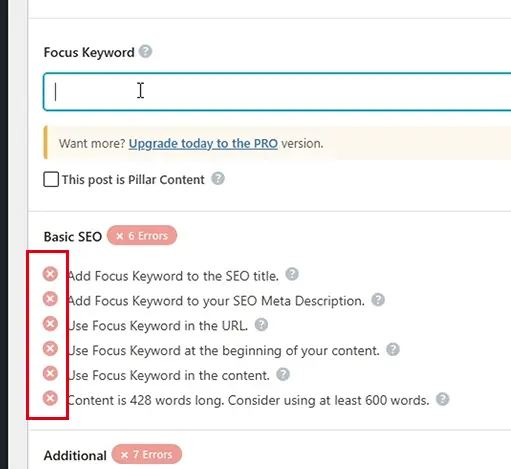
It is important to note that using a WordPress SEO plugin does not automatically guarantee higher rankings. However if you are not familiar with SEO these plugins provide a helpful starting point and guide you on what needs improvement.
WordPress SEO plugins also give you better insights into your audience and traffic sources. With this information you can refine your content strategy improve user engagement and make smarter decisions for long term growth.
Ready to grow your organic traffic?
Get a tailored SEO strategy that drives rankings, traffic, and real business results.
Does WordPress Need SEO Plugins
You do not need to use WordPress SEO plugins to optimise your posts and pages. If you understand basic SEO principles and keep up with how search engines work you can still achieve good results without relying on plugins.
In most situations SEO plugins act as a guide. They show you what can be improved to make your content more search friendly but the actual optimisation work still depends on how you write and structure your content.
WordPress itself already comes with the core features needed to create SEO friendly content. You can add page titles meta descriptions headings image alt text tags and customise URLs directly from the dashboard without installing any plugin.
All these small actions contribute to SEO. If you are confident managing these tasks on your own then using a plugin may not be necessary. That said many website owners still find plugins helpful as reminders and time savers.
Even if you choose not to use an SEO plugin there are still other tools available for keyword research competitor analysis and performance tracking. These tools help you understand why rankings change and highlight areas where your website can improve.
6 Best SEO Plugins for WordPress
Let’s start with SEO plugins built for WordPress. These plugins are usually easy to install and simple to use even for beginners. The better ones provide clear SEO suggestions directly inside the page and post editor helping you improve your content step by step. Some plugins come with more advanced features while others focus on basic tools such as checking broken links or reducing image file sizes. The right choice depends on how much guidance and control you need for your website.
- Rank Math
- Yoast SEO
- All-in-One SEO
- The SEO Framework
- Slim SEO
- SEOPress
The quick list of recommendations is shown above, but we highly recommend scrolling through the more thorough reviews we’ve completed on the best SEO WordPress plugin options below.
1. Rank Math
Rank Math is a popular all in one SEO plugin that helps WordPress users optimise their websites more efficiently. It combines many essential SEO features into a single plugin so you do not need to install multiple tools that may slow down your site or complicate management.
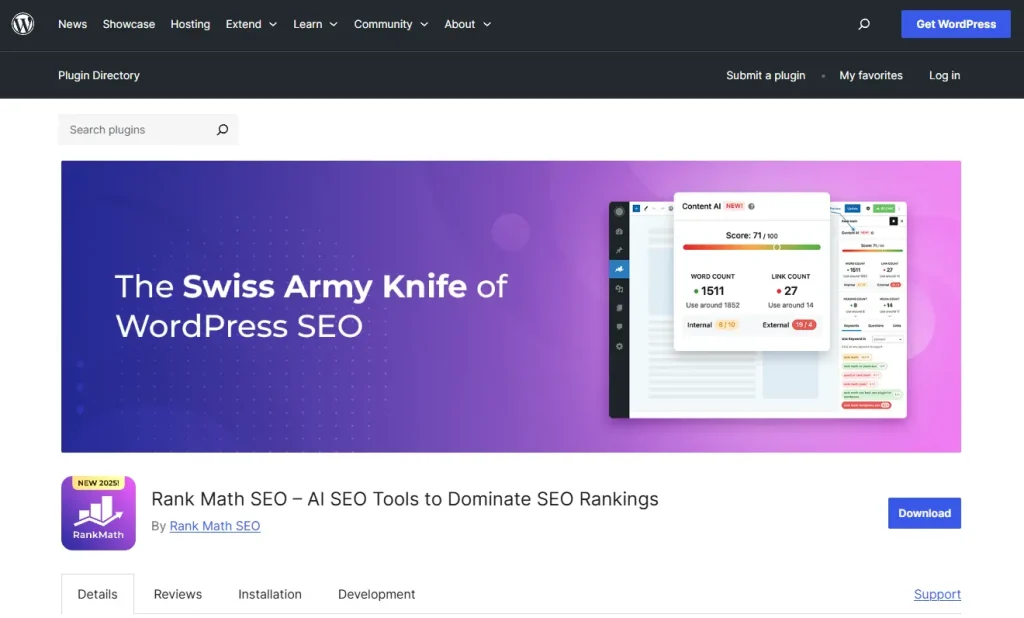
Here is what Rank Math offers by default:
- On page SEO analysis: Rank Math provides real time feedback while you are writing your content. It shows an SEO score and clear suggestions to help you optimise keywords structure and readability so your pages are more search friendly.
- Schema markup: The plugin allows you to add structured data easily. This helps your pages stand out on Google search results with elements like star ratings FAQs and rich snippets which can improve click through rates.
- XML sitemaps: Rank Math automatically generates XML sitemaps to help search engines discover and index your content faster. You do not need to configure this manually as it works straight after setup.
- Redirection manager: You can set up 301 redirects easily when changing URLs or removing pages. This helps avoid broken links and ensures visitors are sent to the correct page.
- Google Search Console integration: Rank Math connects your website with Google Search Console so you can view important search performance data and identify issues directly from your WordPress dashboard.
Key Strengths and Weaknesses
| Strengths | Weaknesses |
| Strong free version with many useful features | May feel overwhelming for beginners |
| All in one SEO plugin | Upselling notices appear often |
| Good schema and rich snippet support | Too many features can affect performance |
| Easy migration from other SEO plugins | AI credits are limited |
Pricing
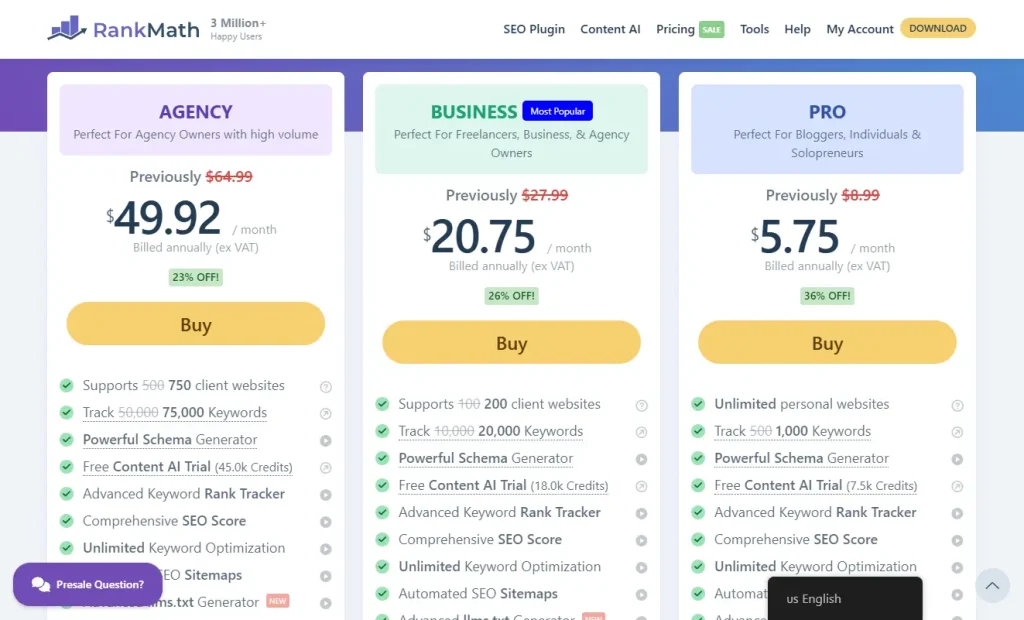
- Free version: Costs nothing and is powerful enough for most personal blogs and small business websites.
- Pro plan: Priced at $5.75 per month when billed yearly. Includes keyword tracking more Content AI credits and advanced 404 monitoring.
- Business plan: Priced at $20.75 per month when billed yearly. Suitable for freelancers managing up to 100 websites with large scale keyword tracking.
- Agency plan: Priced at $49.92 per month when billed yearly. Designed for agencies managing up to 500 websites with high volume keyword tracking.
All plans require an annual payment. Content AI may need additional credit purchases.
Ideal User for This Plugin
Rank Math is best suited for users who want strong SEO features without spending much. It works well for small business owners who need local SEO and e commerce tools in one plugin. Content creators and marketers will appreciate the clear data insights and AI suggestions for improving content. Freelancers and agencies benefit from managing multiple websites easily while advanced users enjoy having full control over SEO settings.
Related Articles: What is SEO and How Does it Work?
2. Yoast SEO
Yoast SEO is one of the oldest and most trusted SEO plugins for WordPress. It is well known for making SEO simple and beginner friendly especially for users who are new to website optimisation.
One of its most popular features is the traffic light system which uses red orange and green indicators to show how well your content is optimised. This feedback appears directly in the post editor so you can make improvements while writing.
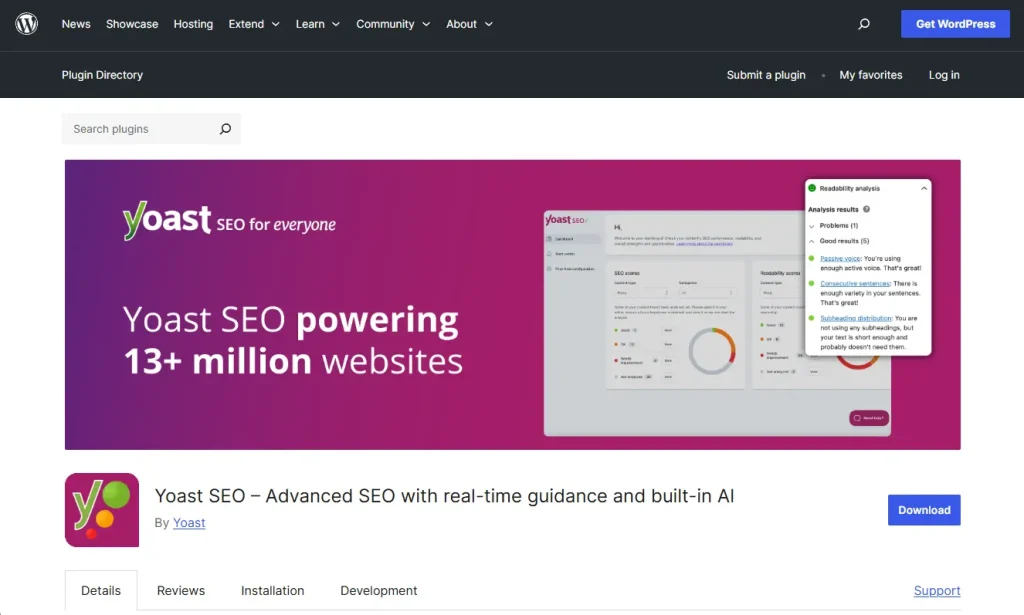
Here is what Yoast SEO helps you with:
- Real time SEO and readability checks: Yoast gives clear suggestions as you write helping improve keyword usage sentence structure and overall readability.
- Focus keyword optimisation: You can set a target keyword and Yoast checks whether it appears in important places such as the page title headings and content.
- Search result preview: Yoast shows a preview of how your page may appear on Google search results before you publish it.
- Automated technical SEO: The plugin automatically generates XML sitemaps and handles basic technical SEO settings in the background.
- Content insights: Yoast helps you avoid keyword overlap between pages so your content does not compete with itself.
- Social media preview: You can control how your content looks when shared on platforms like Facebook and Twitter.
Key Strengths and Weaknesses
| Strengths | Weaknesses |
| Very beginner friendly and easy to use | Limited features in the free version |
| Clear content and readability guidance | Can encourage over optimisation |
| Handles basic technical SEO automatically | Upgrade prompts appear frequently |
| Easy migration from other SEO plugins | Less control for advanced users |
| Helps prevent keyword overlap between pages | May affect performance on larger sites |
Pricing
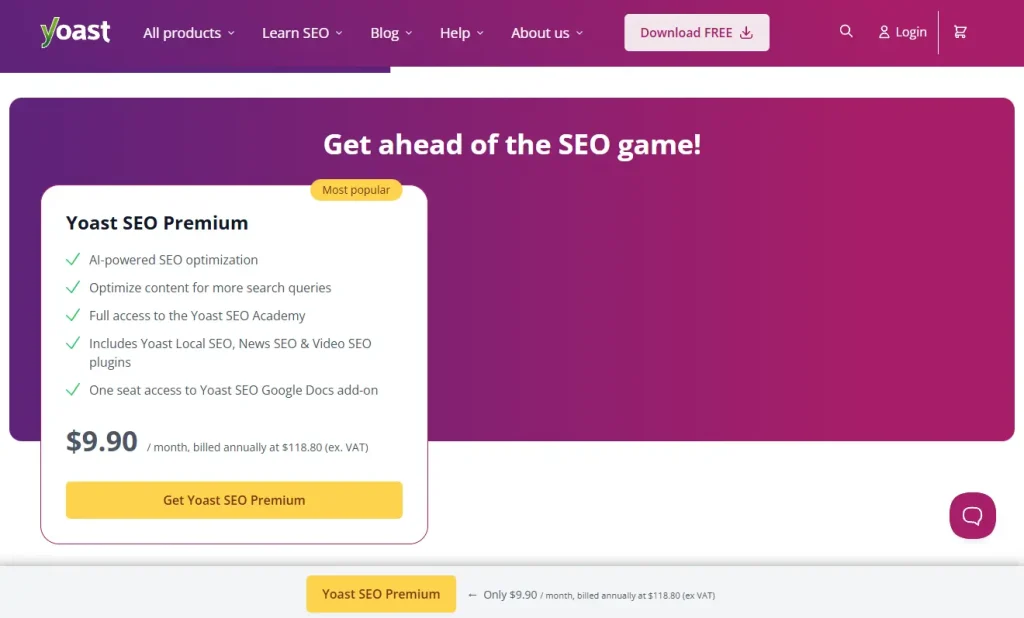
- Free version: Free to use and includes essential SEO and readability checks along with basic technical setup.
- Yoast SEO Premium: Priced at $118 per year for one site. Adds features like internal linking suggestions support for multiple keywords and a redirect manager.
- Premium bundles: Starting from around $179 per year. Suitable for users who need extra features such as WooCommerce SEO or local business support.
For most users the free version is enough to get started and upgrading is only needed when more features are required.
Ideal User for This Plugin
Yoast is ideal for WordPress beginners who want simple and guided SEO support. Bloggers and content writers benefit from the clear real time feedback that helps improve content for both readers and search engines. Small business owners will find it useful as a reliable hands off solution for basic SEO without needing deep technical knowledge. It suits users who prefer simplicity and want an easy set up approach.
3. All-In-One SEO
All in One SEO also known as AIOSEO is a user friendly WordPress plugin designed to make SEO simple for all types of users. It focuses on automating technical SEO tasks while giving clear tools to help you improve content performance.
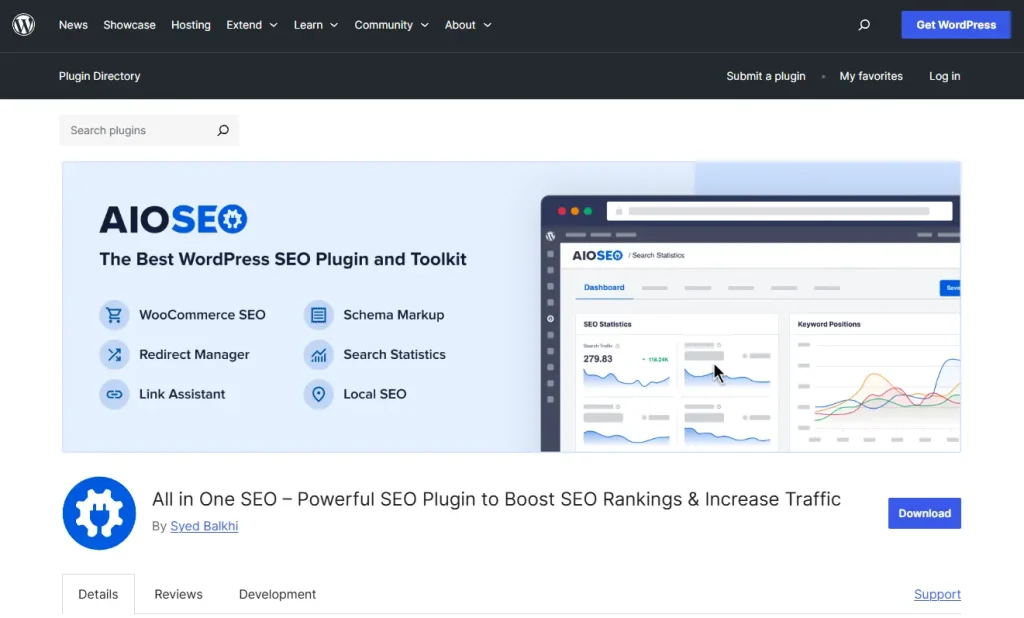
Here is what All in One SEO helps you with:
- Guided setup wizard: A step by step setup that configures key SEO settings automatically making it easier for beginners to get started.
- On page SEO analysis: Provides a TruSEO score with clear suggestions to improve content structure keywords and meta information while you write.
- XML sitemaps: Automatically generates XML sitemaps so search engines can find and index your pages more efficiently.
- Schema markup: Adds structured data in the background to help your pages appear with rich results such as star ratings and FAQs.
- Social media integration: Lets you control how your content appears when shared on social platforms like Facebook and Twitter.
- Local SEO tools: Offers premium features that help physical businesses improve visibility in local search results and Google Maps.
Key Strengths and Weaknesses
| Strengths | Weaknesses |
| Very user friendly setup | Best features require a paid plan |
| Strong local SEO features | Limited options for advanced users |
| Good e commerce integration | May feel overwhelming at first |
| Easy migration from other SEO plugins | Site audits can be slow |
| Reliable overall performance | Less control for power users |
Pricing
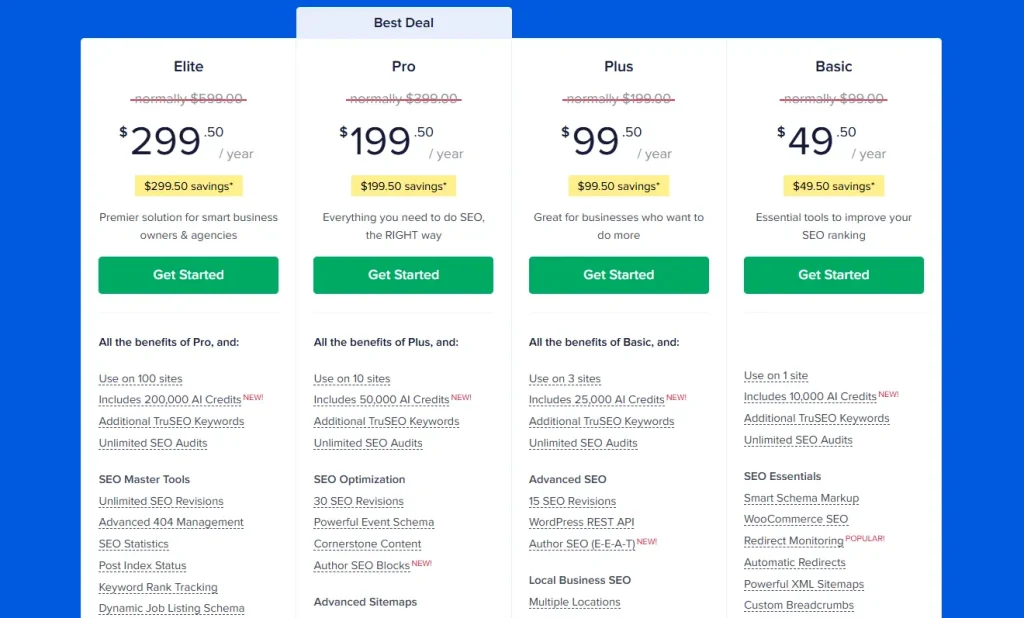
- Free version: Free to use and covers essential features such as on page analysis XML sitemaps basic schema and social media previews.
- Lite plan: Priced at $49.50 per year for one site. Includes WooCommerce SEO video sitemaps and more advanced settings.
- Plus plan: Priced at $99.50 per year for up to three sites. A popular option that adds strong local SEO features.
- Pro plan: Priced at $199.50 per year for up to ten sites. Includes Link Assistant for internal linking and more advanced SEO tools.
- Elite plan: Priced at 299.50 per year for up to one hundred sites. Designed for agencies managing multiple websites.
All plans are billed yearly and the free version is sufficient for many basic websites.
Ideal User for This Plugin
All in One SEO is ideal for WordPress beginners who want a simple and guided setup. It works well for local businesses that need better visibility on Google Maps and for WooCommerce store owners who want to optimise product pages easily. Users switching from another SEO plugin will appreciate the smooth import process. It also suits bloggers and business owners who prefer a clean and straightforward interface.
4. The SEO Framework
The SEO Framework is a lightweight WordPress SEO plugin built for users who want strong SEO performance without extra features that slow down the site. It focuses on handling technical SEO automatically so you can spend more time creating content instead of adjusting settings.
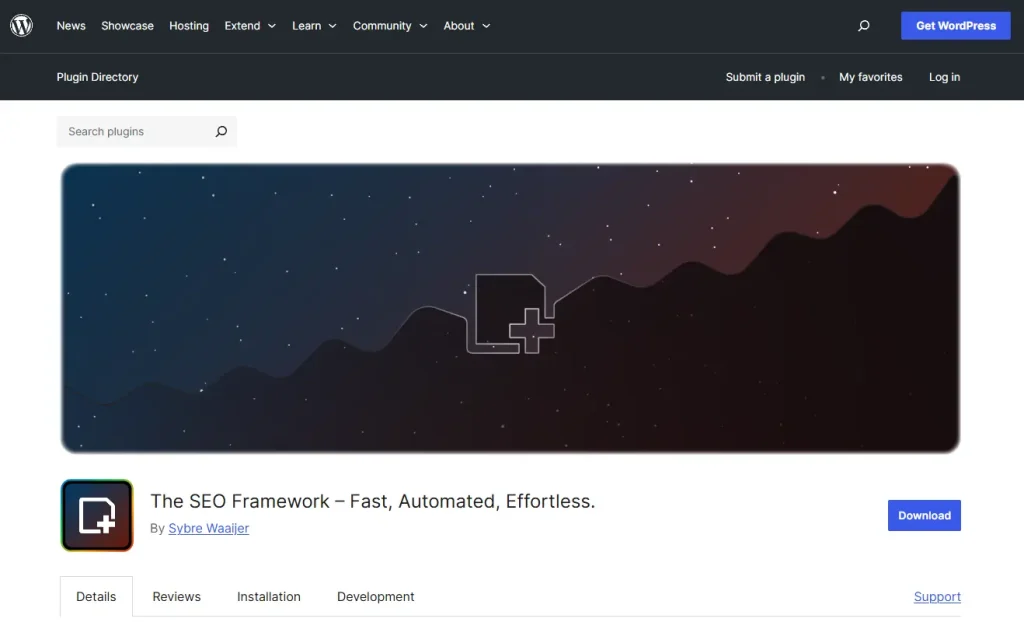
Here is what The SEO Framework handles for you:
- Automatic setup: The plugin works straight away with smart default settings so you do not need advanced SEO knowledge to get started.
- Clean and simple interface: It integrates smoothly into the WordPress admin area with a clean layout and no confusing menus or separate dashboard.
- Automated meta tags: The plugin automatically generates SEO friendly titles and meta descriptions based on your page content.
- XML sitemaps: It creates and maintains XML sitemaps automatically to help search engines find and index your pages easily.
- Schema markup: The SEO Framework adds essential structured data in the background to improve how your content appears in search results.
- Privacy focused: The plugin does not track user data and is built to stay fast and lightweight without affecting site performance.
Key Strengths and Weaknesses
| Strengths | Weaknesses |
| Very lightweight and fast | Not suitable for beginners who need guidance |
| Clean and uncluttered interface | Advanced features require paid extensions |
| Works well as a set and forget solution | Minimum two site pricing for paid plans |
| Strong focus on privacy | Limited visual feedback compared to other plugins |
| Powerful free version | Less hands on control for learning SEO |
Pricing
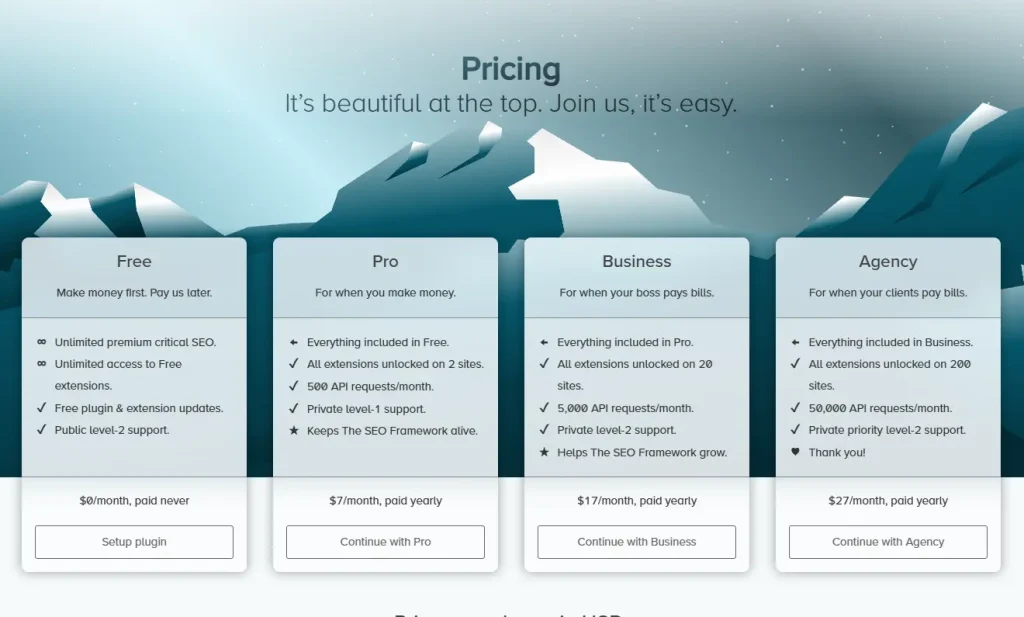
- Free version: Free to use and includes all core automation features. For many websites this is already sufficient.
- Pro plan: Priced at $84 per year for two websites. Includes all premium extensions such as content analysis and local SEO along with private support.
- Business plan: Priced at $204 per year for up to twenty websites. Offers more resources and higher priority support.
- Agency plan: Priced at $324 per year for up to two hundred websites. Designed for agencies managing many client sites.
For most websites the free version is more than enough and paid features are only needed for advanced tools.
Ideal User for This Plugin
The SEO Framework is ideal for developers and designers who need a fast and clean solution for client websites. It suits performance focused site owners who care about speed and efficiency. Experienced WordPress users who already understand SEO will appreciate the automatic technical setup. It also works well for bloggers and site owners who want a quiet set and forget approach and for users who value privacy and minimal data collection.
5. Slim SEO
Slim SEO is a lightweight WordPress SEO plugin that focuses on handling essential technical SEO automatically without slowing down your website. It avoids complex settings and extra features making it a good choice for users who prefer a simple and clean setup.
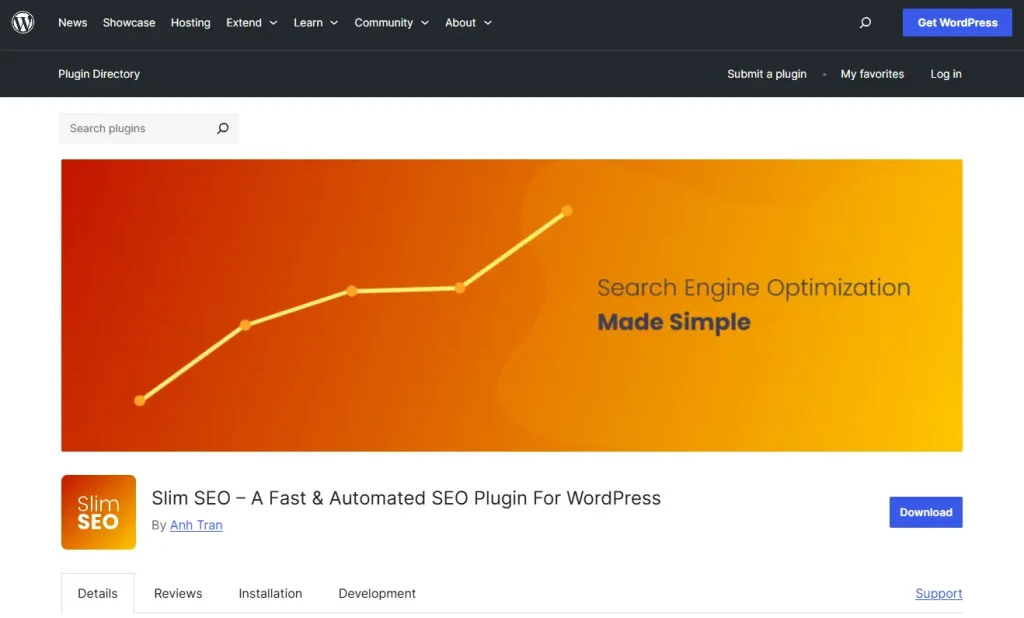
Here is what Slim SEO does automatically:
- Automatic meta tags: The plugin generates page titles and meta descriptions based on your content without any manual setup.
- Schema markup: Slim SEO adds structured data in the background to help search engines understand your pages more clearly.
- XML sitemaps: It automatically creates XML sitemaps so search engines like Google can discover and index your content easily.
- Social media previews: The plugin controls how your pages appear when shared on platforms like Facebook and Twitter.
- Simple redirects: Slim SEO can handle basic redirects when you change a page URL helping prevent broken links.
Key Strengths and Weaknesses
| Strengths | Weaknesses |
| Extremely fast and lightweight | No content or readability guidance |
| Works immediately after activation | Limited advanced SEO features |
| Very simple and clean interface | Lacks granular control |
Pricing
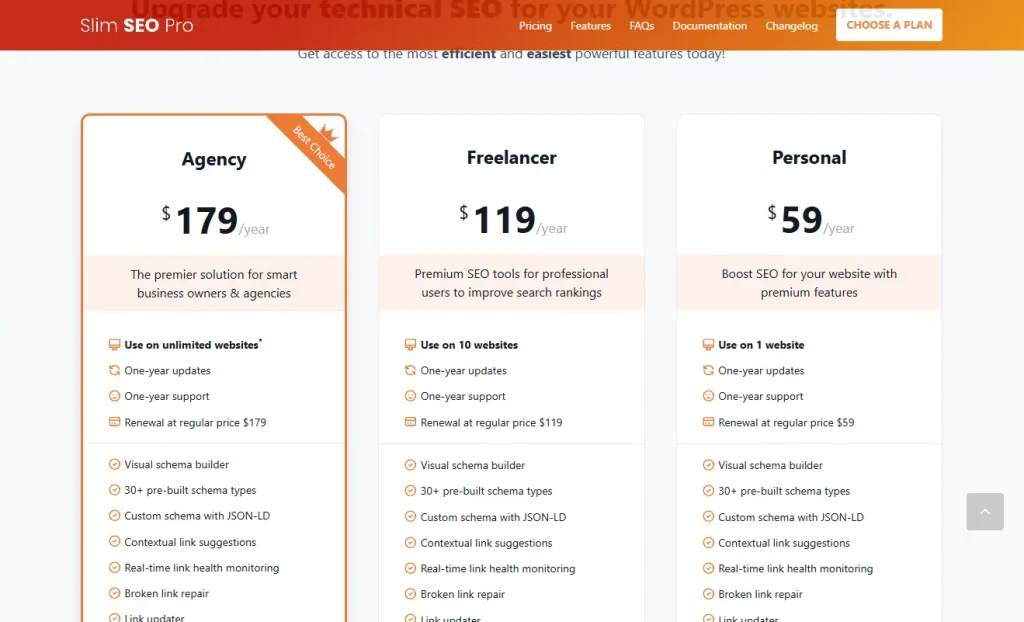
- Free version: Free to use and includes core automation features such as meta tags schema markup and XML sitemaps. For many websites this is more than enough.
- Pro version: One time payment with no yearly subscription.
- Personal license: Priced at $59 for one website.
- Freelancer license: Priced at $119 for up to ten websites.
- Agency license: Priced at $179 for unlimited websites.
The one time payment comes with one year of updates and support and is cheaper in the long run than paying yearly fees.
Ideal User for This Plugin
Slim SEO is ideal for website owners who prioritise speed and want a fast loading SEO solution. It suits developers and technical users who understand SEO basics and prefer automatic setup without extra settings. Minimalist users who dislike complex dashboards will feel comfortable using it. It is also a good option for those moving away from heavier plugins and only need core technical SEO features.
6. SEOPress
SEOPress is a well balanced WordPress SEO plugin that combines useful features with a clean and easy to use interface. It offers a strong free version and reasonably priced paid plans making it a popular choice for users who want good value without unnecessary complexity.
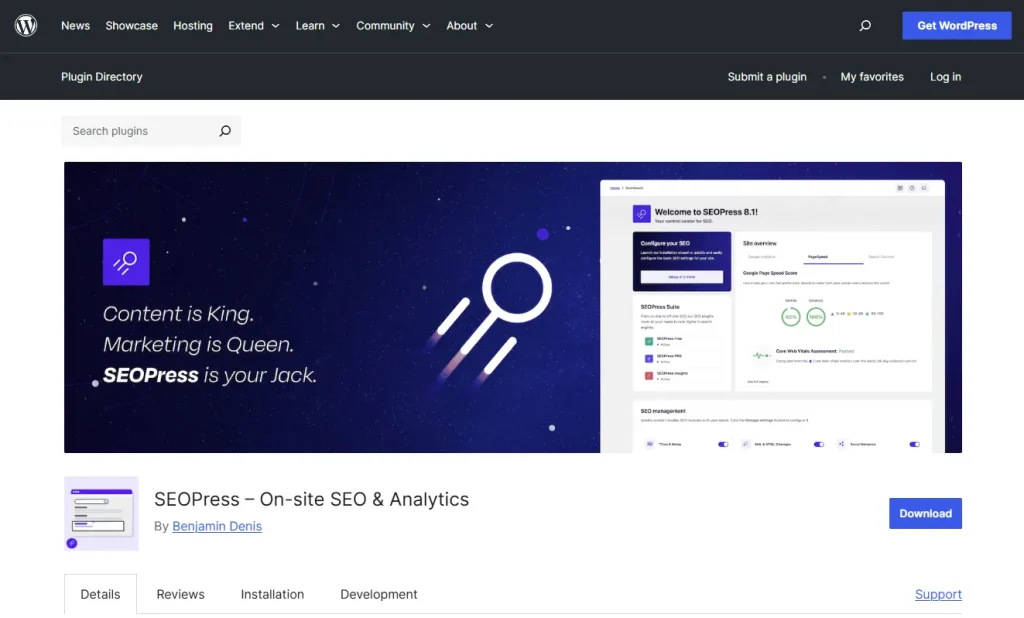
Here is what SEOPress offers:
- On page SEO analysis: SEOPress adds a meta box in the editor where you can edit titles and meta descriptions and receive basic feedback to improve your content.
- XML sitemaps: The plugin automatically generates XML sitemaps to help search engines like Google find and index all your pages more easily.
- Social media integration: You can control how your content appears when shared on platforms such as Facebook Twitter and other social networks.
- Schema markup: With the Pro version SEOPress allows you to add structured data to improve how your pages appear in search results including rich snippets like star ratings.
- Setup wizard: A simple setup wizard guides you through the most important SEO settings so you can get started quickly without technical confusion.
- WooCommerce SEO: The Pro version includes tools designed to help WooCommerce product pages perform better in search results.
Key Strengths and Weaknesses
| Strengths | Weaknesses |
| Good value for money | Some advanced settings can feel complex |
| Clean and user friendly interface | No built in keyword rank tracking |
| Works well for e commerce websites | Limited guidance for beginners |
| White label option available in Pro | Content analysis is fairly basic |
| Lightweight and fast performance | Less automation compared to larger plugins |
Pricing
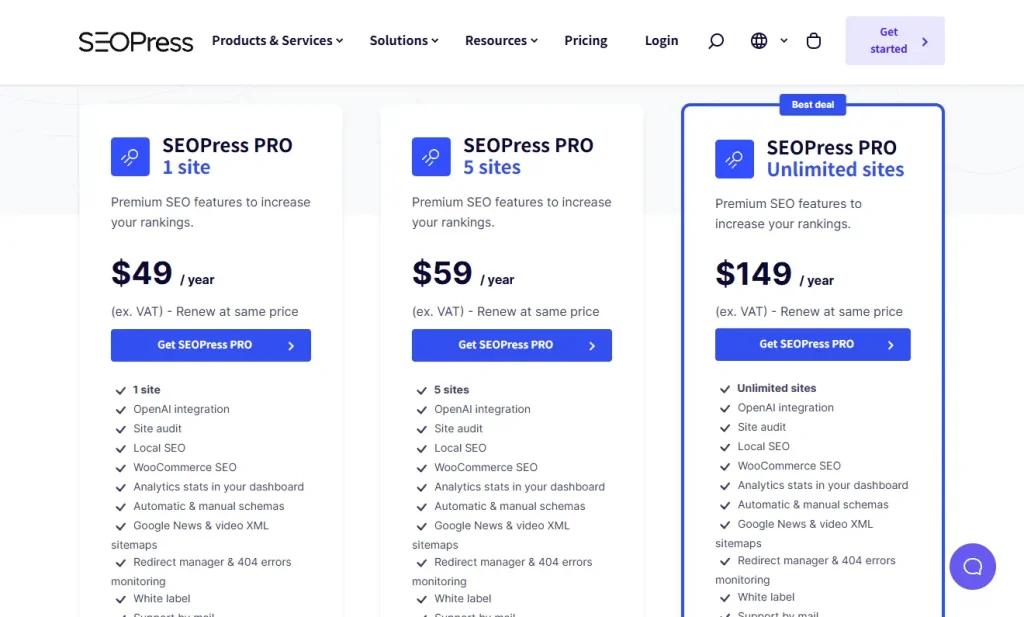
- Free version: Free to use and includes metadata editing XML sitemaps and basic social media previews. It works on unlimited websites.
- Pro plan: Priced at $49 per year for one website.
- Pro plan: Priced at $59 per year for up to five websites.
- Pro plan: Priced at $149 per year for unlimited websites.
All Pro plans include advanced tools and every paid plan comes with a fourteen day money back guarantee.
Ideal User for This Plugin
SEOPress is ideal for website owners who want strong SEO features at a reasonable price. It works well for bloggers small businesses and WooCommerce store owners who need effective SEO without extra clutter. Agencies and developers benefit from the white label option and unlimited sites plan. It also suits users looking for a cleaner and more affordable alternative to larger SEO plugins.
How to Choose the Right WordPress SEO Plugin
Choosing the right WordPress SEO plugin becomes much easier when you focus on a few key factors that matter most to your website.
1. Consider your technical skill level
If you are a beginner choose a plugin with guided setup and a simple interface. If you are more experienced you may prefer advanced settings and full control even if the plugin feels more complex.
2. Set a realistic budget
Many free plugins such as Rank Math and Yoast are already powerful enough for most websites. Paid tools can be useful but only if you truly need the extra features and can justify the cost.
3. Match the plugin to your website type
Blogs usually only need basic SEO tools while e commerce sites require product focused optimisation. Local businesses should prioritise plugins with strong local search and Google Maps support.
4. Think about time and maintenance
If you want SEO to run quietly in the background choose a more automated plugin. If you enjoy adjusting settings and fine tuning performance a feature rich plugin may suit you better.
5. Start simple and upgrade later
The most popular plugin is not always the best choice. A lighter plugin can sometimes perform better than a feature heavy one. Starting with a free version is usually enough and most users never need to upgrade.
Conclusion
There is no single best SEO plugin for everyone. The right choice depends on your skills needs and how much control you want. Beginners who want guidance can start with Yoast SEO or All in One SEO.
If you want more free features and do not mind a learning curve Rank Math is a good option. If website speed matters most The SEO Framework or Slim SEO may be a better fit. Before installing any plugin always back up your website to avoid issues later.
An SEO plugin is only a tool. Strong content and a good user experience matter more than the plugin itself. Choose one that fits your needs install it and focus on creating content that people actually want to read.
Frequently Asked Questions
Is Yoast SEO free?
Yes Yoast SEO has a free version with basic SEO features. The paid version adds more advanced tools.
Are SEO plugins worth it?
Yes they save time by handling technical SEO and guiding content optimisation.
How do I add an SEO plugin to WordPress?
Go to Plugins Add New search the plugin then install and activate it.
Which is better Yoast or Rank Math?
Yoast is easier for beginners. Rank Math offers more features but needs more setup.
What happens if you do not use SEO?
Your website will get less traffic and be harder to find on search engines.
Visit our page if you need more details.
Also Read:
- What is SEO and How Does it Work?
- What Is GEO? Generative Engine Optimization Explained (2026)
- SEO vs GEO vs AEO: Key Differences Explained (2026)
Stay Connected: Website | Facebook | Instagram | TikTok | Lemon8 | Xiaohongshu
Share This Article: