WordPress website development is best if you want a website you can update easily, publish content regularly, and grow SEO over time using a CMS. It suits Malaysian SMEs that need new pages, blog posts, campaigns, and lead generation without relying on a developer for every change. Static HTML websites are best for simple sites that rarely change, offering fast loading and fewer moving parts. If your goal is long-term content growth and scalability, WordPress usually wins. If you only need a lightweight brochure site, static HTML can be enough.
Table of Contents
So, you’re planning to build a new website for yourself or a client. One of the first decisions you’ll face is choosing the right approach: WordPress CMS or static HTML.
This is a common dilemma for developers, designers, and even digital agencies. At its core, the choice often comes down to personal preference, technical skill level, and how well you understand your client’s needs. Your experience as a developer and the long-term goals of the website both play a major role in this decision.
Ask yourself a few key questions. Are you comfortable writing HTML and CSS from scratch to build and maintain a site? If so, that’s an impressive skill set. Or would it make more sense to take a practical middle ground by using a database-driven CMS like WordPress, which simplifies content management and scalability?
This article is designed to help you make an informed decision. We’ll break down common industry terms and explore the advantages and limitations of both static HTML and WordPress, so you can choose the best option for your web development project with confidence.
WordPress Website Development vs Static HTML: Key Differences
Behind the scenes, WordPress and static HTML websites work very differently, but from a front-end user’s perspective, they can look exactly the same. Visitors don’t see the code. They only see the final design and content.
The real difference comes down to how the website is built and managed. With static HTML, you need to write the code yourself. If you don’t already know HTML and CSS, this can be time-consuming and requires learning, testing, and practice. Developers spend years mastering these skills, so jumping straight in can feel like going in at the deep end.
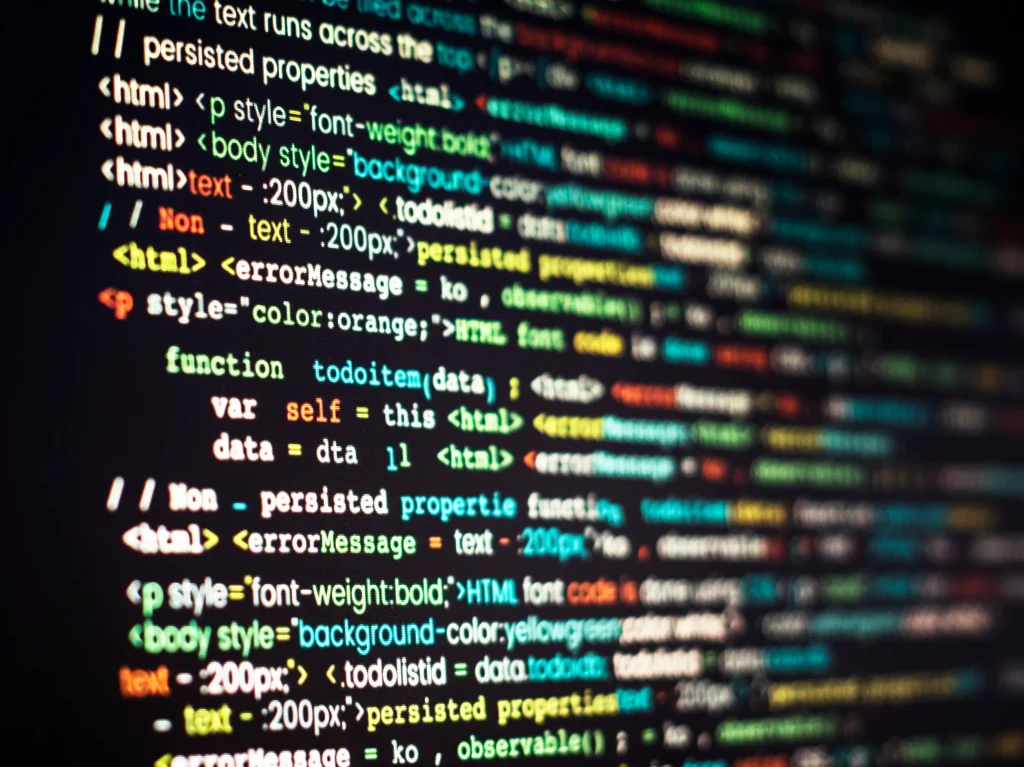
That said, static HTML sites are lightweight. They don’t rely on databases, themes, or plugins, which means fewer updates and less technical overhead.
A CMS offers a practical middle ground. WordPress lets you manage content, design, and functionality without writing code. You can also use visual builders like Divi, Bricks, or Elementor to design your front end more easily.
WordPress is simple to use and highly flexible. Plugins can improve the admin experience, and white-label tools even allow you to hide or rebrand the CMS for clients if needed.
In the end, the key difference isn’t what users see. It’s how the code is created and maintained. Whether it’s hand-coded HTML or generated by a CMS, the end result can look exactly the same.
What Is a WordPress Website Development (CMS)?
A WordPress Website Development (CMS) lets you create, edit, and manage website content without writing code. Behind the scenes, it automatically generates the necessary HTML, CSS, and server-side code for you.
With WordPress, the most widely used CMS, you can create pages or blog posts in just a few clicks. The end result looks the same as a static HTML page, but the CMS handles all the technical work in the background.
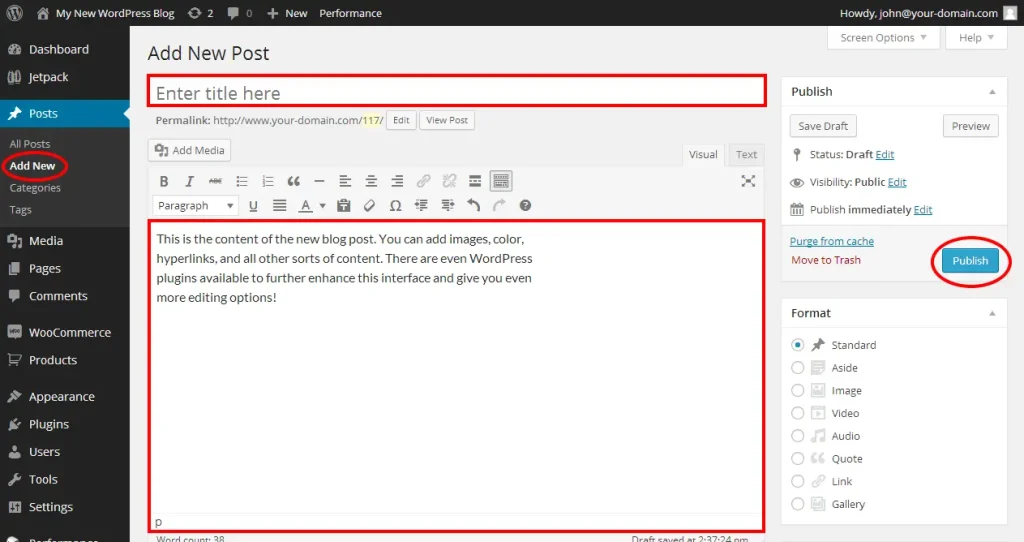
Updating content is also simple. If you need to change text, add images, or update a post, you can do it directly from the dashboard without touching any HTML files.
Before adding content, your site’s design (the front end) needs to be set up. You can work with a designer for a custom layout or start with a ready-made WordPress theme and customise it as you go. A CMS works best when design and content are planned together.
Related Articles: WordPress Website Guide: Definition, Types, Design & Cost
What Is a Static HTML Website?
A static HTML website is made up of individual HTML files, usually one file per page, stored on a server and accessed via FTP.
When a user visits the site, their browser requests the relevant HTML file from the server, which is then delivered along with its CSS styling. These style sheets control how the page looks on the front end.

Because of this setup, the website generally appears the same for every visitor, although small variations can be built in during development if needed.
One drawback is maintenance. Updating a static HTML website can be more time-consuming than using a CMS, especially if you don’t have direct access to the files. If a developer built the site without a CMS, you may need to rely on them for even small changes, which can take time depending on their availability.
This is an important factor to consider if someone recommends using a static HTML approach for your website.
Why Use WordPress as Your CMS?
According to W3Techs, WordPress powers nearly 45% of all websites on the internet, which says a lot about its reliability and flexibility. For that reason, it’s the CMS I consistently recommend to clients.
WordPress is free and open-source, meaning there’s a massive global community supporting it. The core software costs nothing to use, and you’re not locked into a proprietary platform.
It also offers thousands of themes and plugins, allowing you to build almost any type of website without writing code. This is ideal for designers or business owners with limited technical knowledge. That said, plugins should be used carefully, as installing too many can slow down your site.
On top of that, most hosting providers allow you to install WordPress in just one click, making setup quick and beginner-friendly.
It’s Customisable and Easy to Use
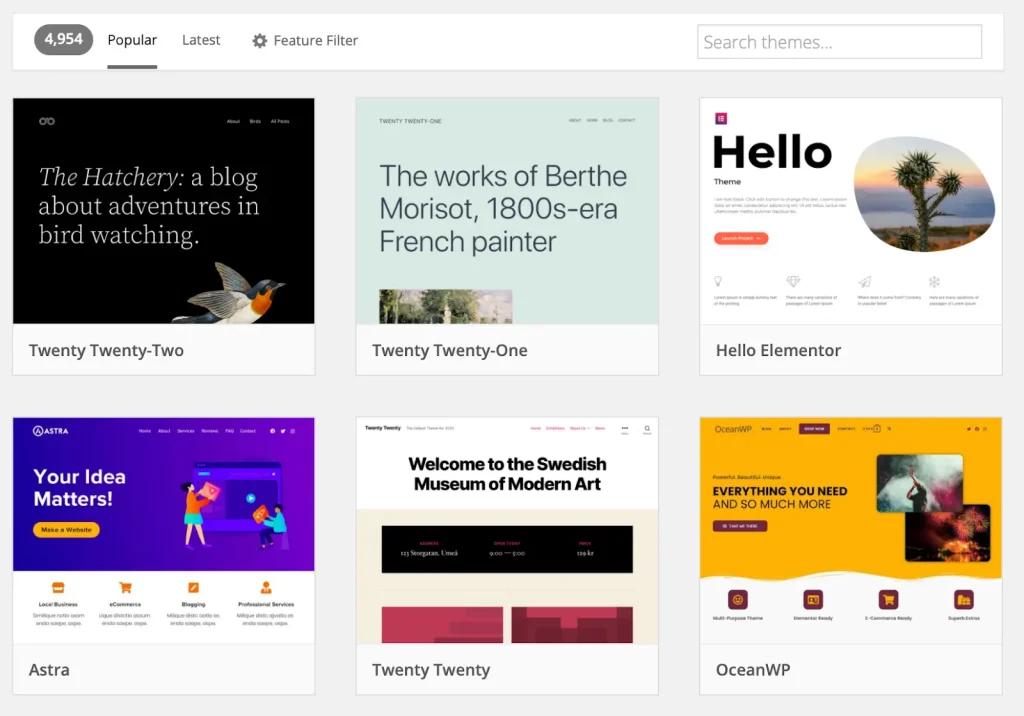
Every WordPress website runs on a theme, which controls how the site looks on the front end. You can easily find and install themes from the WordPress library or third-party marketplaces like Envato. For more advanced needs, custom themes can also be built, though this usually requires a developer or agency.
Beyond design, WordPress is highly flexible in terms of functionality. If you need eCommerce features, you can add a plugin like WooCommerce to manage products, payments, and orders without building everything from scratch.
This combination of ease of use and customisation makes WordPress suitable for everything from simple websites to fully featured online stores.
Quicker to Build and Easy to Manage
With a CMS like WordPress, you’re not dependent on a developer to hard-code HTML files. You can access the back end yourself to update pages, publish content, and make changes whenever needed.
This speeds up development and gives you full control over day-to-day website management without technical barriers.
It’s Great for SEO Growth
WordPress is a strong platform for long-term SEO growth. With plugins like Rank Math or Yoast SEO, you can easily manage key SEO elements such as schema markup, redirects, 404 monitoring, image optimisation, and more.
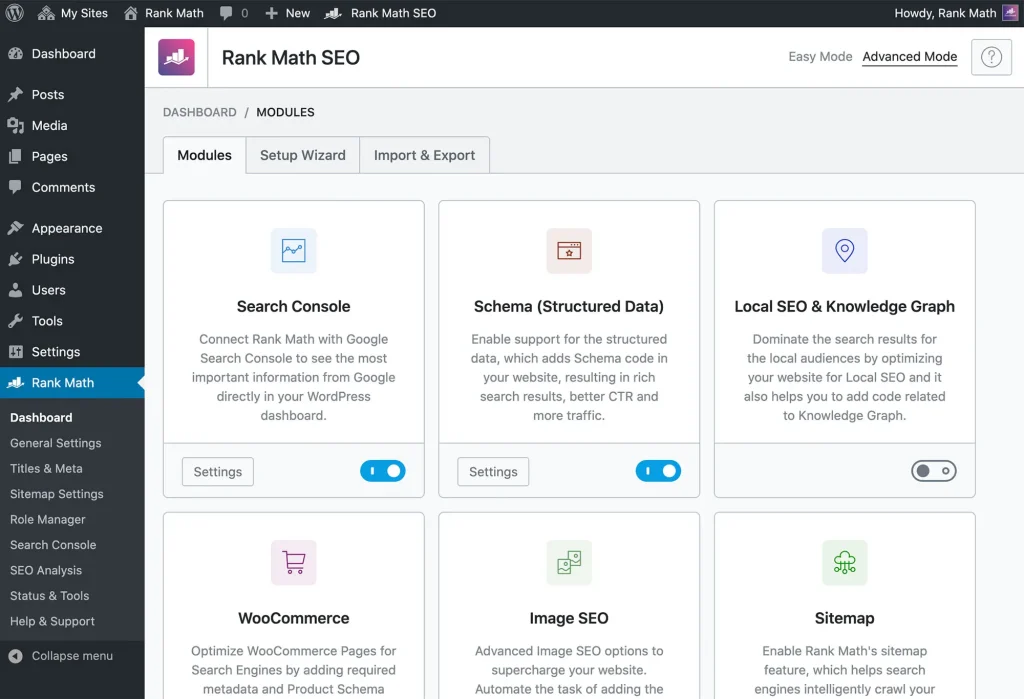
Even without plugins, WordPress automatically generates meta descriptions and excerpts based on your content, making it a beginner-friendly starting point for SEO.
You Have Full Control of Your Website
WordPress gives you full ownership and control over your website and files. Unlike website builders such as Wix, Shopify, or Squarespace, WordPress is open-source and doesn’t lock you into a specific hosting provider or restrict access to your data.
While those platforms are great for quick setup and beginners, they offer limited control over databases, files, and hosting environments. With WordPress, you can log in, make updates, and manage content in just a few clicks.
In contrast, a static HTML website without FTP access or technical knowledge often leaves you dependent on a developer for changes, which can lead to delays and additional costs.
WordPress Website Development vs Static HTML: Pros and Cons
There are clear advantages and disadvantages to both static HTML development and using a content management system like WordPress. Below is a breakdown of the key attributes, along with the pros and cons of each approach, to help you decide which option best suits your website project.
| Attribute | Static HTML | CMS (WordPress) |
| Performance | Very fast, no database or server processing. | Fast when optimised, but slower by default. |
| Security | Fewer attack risks due to no database. | Secure with updates, but plugins can add risks. |
| Customisation | Full control through code. | Easy via themes and plugins; advanced changes need coding. |
| Cost | Low hosting cost, higher change cost. | Free core; paid plugins and hosting may add cost. |
| Ease of Use | Requires coding knowledge. | Beginner-friendly dashboard. |
| Scalability | Hard to manage as the site grows. | Built to scale with content and features. |
| Maintenance | Manual updates needed. | Regular updates required. |
| Functionality | Limited unless custom-built. | Plugins add features quickly. |
| Content Management | Manual page updates. | Full content management system. |
| SEO | Fully manual optimisation. | SEO tools and plugins available. |
Which Option Is Right for You: Static HTML or WordPress?
I hope this guide has helped clarify the differences between static HTML websites and CMS-based sites like WordPress.
Before deciding, ask yourself a few simple questions. Do you know how to code? If not, do you have the time or interest to learn it properly? Also consider whether you’re comfortable paying a developer for ongoing updates and changes.
If your answer is no, a WordPress CMS is usually the better choice. It’s easier to manage, more flexible, and gives you control without technical barriers.
If you have a larger budget, strong technical skills, and don’t mind relying on developers for maintenance, a static HTML website can still be a valid option.
Whichever route you choose, remember that your website is an investment. Always prioritise user experience and functionality. A website that looks good but doesn’t work well will never deliver real results.
Frequently Asked Questions (FAQ)
Is WordPress better than static HTML for SEO?
Yes. WordPress is generally better for SEO because it supports SEO plugins, structured data, internal linking, and easy content updates. These features help search engines crawl, understand, and rank your content more effectively than static HTML.
Can static HTML rank faster than WordPress?
Sometimes, yes. Static HTML websites can load very fast due to minimal code, which may help initial indexing. However, ranking long term still depends on content quality, backlinks, and updates, where WordPress has an advantage.
Does WordPress become slow automatically?
No. WordPress does not become slow by default. Performance issues usually come from poor hosting, heavy themes, or too many plugins. With good hosting, caching, and optimization, WordPress can be very fast.
Which is safer: WordPress or static HTML?
Static HTML is safer by nature because it has no database or login system. However, WordPress can also be very secure if kept updated and protected with proper security plugins and best practices.
What’s best for multilingual sites in Malaysia?
WordPress is the better choice. It supports multilingual plugins for English, Chinese, and Malay, making it easier to manage translations, SEO tags, and local search visibility across different languages.
Which is cheaper long-term?
Static HTML is cheaper only if the site never changes. For businesses that update content, WordPress is usually cheaper long term because content can be managed without ongoing developer costs.
Can WordPress be as fast as static HTML?
Yes. With lightweight themes, optimized images, caching, and good hosting, WordPress can achieve speeds very close to static HTML for real-world users.
What is the best option for SMEs in Kuala Lumpur?
WordPress is usually the best option. It offers flexibility, local SEO support, multilingual capability, and easier maintenance, which suits the growth needs of SMEs in Kuala Lumpur.
Visit our page if you need more details.
Also Read:
- What Is a Content Management System (CMS)? 2026
- WordPress Website Guide: Definition, Types, Design & Cost
- 10 Best CMS Platforms to Build With in 2026 (Compared)
- 10 Best E-Commerce CMS Platforms to Boost Your Sales (2026)
Stay Connected: Website | Facebook | Instagram | TikTok | Lemon8 | Xiaohongshu
Share This Article: