A WordPress website is a website built using the WordPress content management system (CMS). It allows users to create, manage, and update content without advanced technical skills. WordPress websites can be used for business sites, blogs, eCommerce stores, portfolios, and enterprise platforms. With thousands of themes and plugins, WordPress offers strong customization, SEO flexibility, and scalability. In 2026, WordPress remains a popular choice for businesses that need content control, search visibility, and long-term growth.
Table of Contents
What Is WordPress?
WordPress is a free, open source content management system (CMS) first released in 2003 by Matt Mullenweg and Mike Little. It was created to simplify website creation, allowing users to build, manage, and publish content without writing code. Built on PHP and MySQL, WordPress powers a wide range of websites from personal blogs and portfolios to large scale enterprise platforms.
What Is A WordPress Website?
A WordPress website is a website built using the WordPress content management system (CMS), which enables users to create, manage, and publish digital content with minimal technical effort.
These websites are managed through a back end dashboard where users can install themes, customize layouts, add functionality using plugins, and publish pages or posts. WordPress offers a high level of flexibility, making it suitable for both beginners and developers.
A WordPress website can serve many purposes, including personal blogs, news portals, business websites, and e commerce platforms.
How Does WordPress Work?
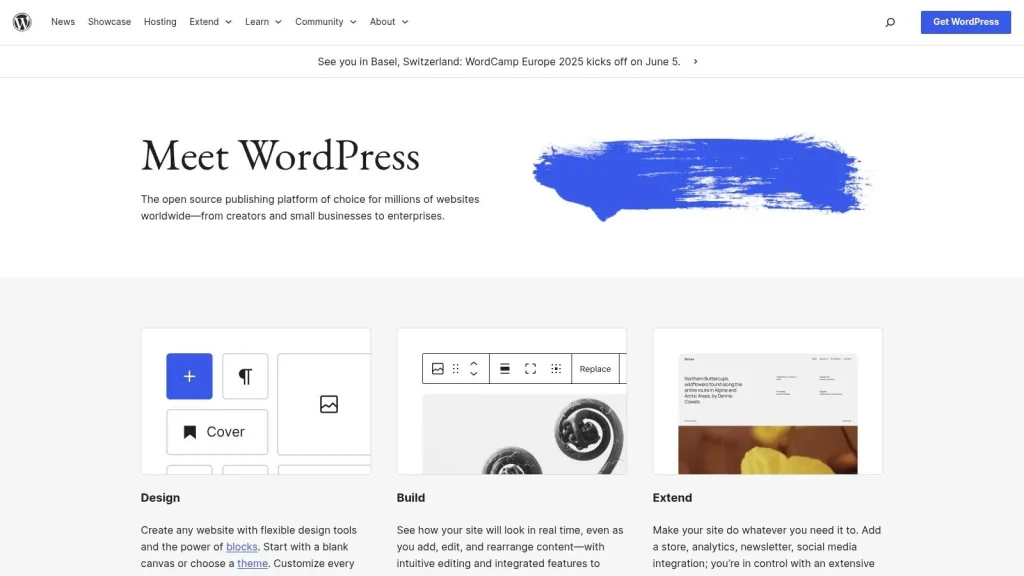
WordPress works through a structured system that separates content management from design, allowing users to build and control websites using a dashboard based interface.
The platform is built on PHP and uses a MySQL database to store and retrieve content dynamically. On the front end, visitors interact with web pages that are styled by themes and enhanced through plugins.
Users can choose from thousands of free and premium themes to define the visual layout and structure of their website, while plugins extend core functionality such as SEO tools, security features, and e commerce systems.
WordPress also provides an intuitive user interface with features like drag and drop editors, media management tools, and customizable menus. This modular architecture supports fast development, flexible customization, and personalized user experiences across a wide range of website types.
What Are The Features Of A WordPress Website?
A WordPress website offers a wide range of features, including a user-friendly interface, flexible themes and plugins, SEO-friendly architecture, responsive design, built-in media management, blogging tools, e-commerce capabilities, strong security options, multilingual support, and an active global community. These core features make WordPress adaptable to different industries, business sizes, and website goals.
Below are the key features of a WordPress-powered website.
1. User-Friendly Interface
WordPress features an intuitive and user-friendly interface designed for both non-technical users and professionals. Its dashboard allows users to manage content, customize site appearance, and install updates with minimal learning curve. Clearly labeled sections for posts, pages, media, and plugins make navigation simple, even for first-time users.
2. Themes and Plugins
WordPress offers thousands of free and premium themes and plugins that allow full customization of website design and functionality. Themes control layout, colors, typography, and overall visual style, enabling anything from simple blogs to complex business websites. Themes can be previewed and switched without affecting existing content.
Plugins extend WordPress functionality, covering everything from contact forms and analytics to advanced e-commerce systems. With over 60,000 free plugins available, users can customize their websites without writing code. Premium plugins add advanced features such as marketing automation, membership systems, and booking tools.
3. Responsive Design
WordPress supports responsive design, ensuring websites display and function correctly across desktops, tablets, and smartphones. Most modern WordPress themes are mobile optimized by default, automatically adjusting layouts, images, and text for different screen sizes.
Responsive design improves usability, reduces bounce rates, and supports better search engine rankings. WordPress also allows users to preview and adjust mobile layouts directly from the dashboard.
4. Media Management
WordPress includes a built-in media management system for uploading, organizing, and displaying images, videos, audio files, and documents. Users can add alt text, captions, and descriptions to media files, improving accessibility and SEO. The drag-and-drop uploader and gallery tools simplify visual content management.
5. Built-In Blogging
Originally developed as a blogging platform, WordPress still offers one of the most powerful built-in blogging systems available. Users can create posts, organize them with categories and tags, schedule content, and format text using a modern editor that supports media embedding and custom post types.
Additional features such as comments, RSS feeds, and author profiles support audience engagement and regular content publishing.
6. E-Commerce Capabilities
WordPress supports full e-commerce functionality through plugins such as WooCommerce. These tools transform a standard website into an online store where users can sell physical or digital products, manage inventory, process payments, and configure shipping options.
E-commerce plugins also support discount codes, customer accounts, and detailed sales analytics, making WordPress suitable for both small online shops and large-scale e-commerce operations.
7. Security
WordPress includes built-in security features such as automatic updates, user role management, and password protection. Many hosting providers offer additional WordPress-specific security enhancements.
Users can further strengthen security with plugins that provide firewalls, malware scanning, two-factor authentication, login protection, and automated backups. SSL certificates and regular updates help keep websites secure and reliable.
8. Multilingual Support
WordPress supports multilingual websites through plugins like WPML and Polylang. These tools allow users to translate content, menus, widgets, and SEO metadata. Language-specific URLs and manual or automated translation options make WordPress suitable for global audiences.
9. Community Support
WordPress is supported by a large global community of developers, designers, and users. This open-source ecosystem provides extensive documentation, forums, tutorials, and troubleshooting resources.
The community also hosts events such as WordCamps and local meetups, offering opportunities to learn best practices, share knowledge, and stay up to date with platform developments.
What Are the Types of WordPress Websites?
WordPress supports many different types of websites, including blogs, business websites, e-commerce stores, portfolios, forums, membership sites, e-learning platforms, nonprofit websites, news portals, and personal websites. Each type serves a specific purpose and uses WordPress features differently to meet its goals.
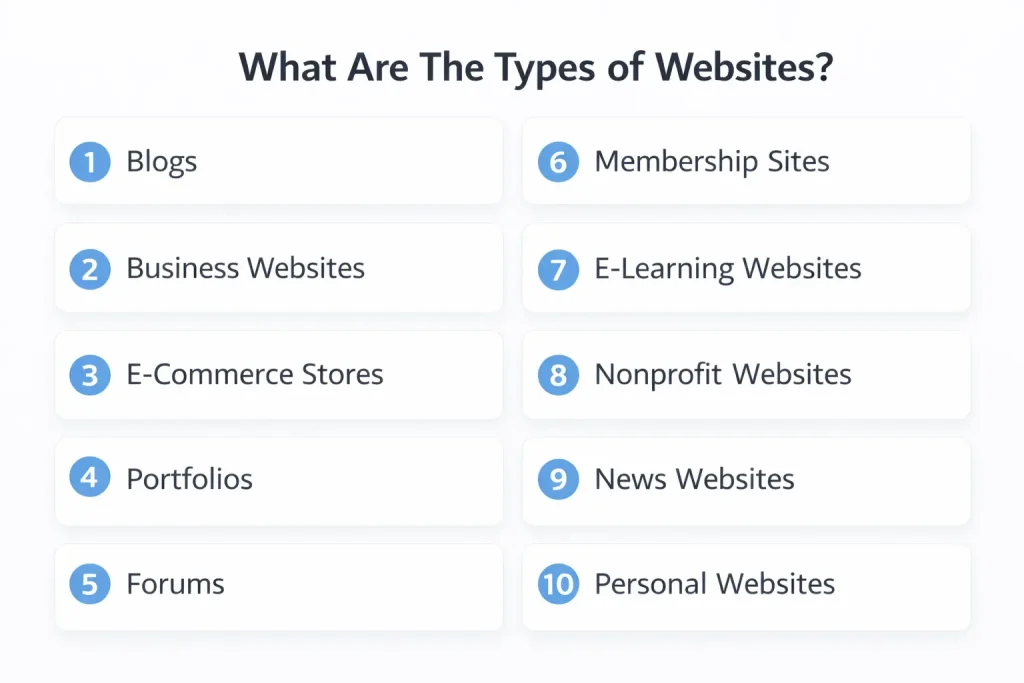
Below are the most common types of WordPress-powered websites.
1. Blogs
Blogs are one of the most common uses of WordPress. With built-in blogging tools, users can publish posts, organize content with categories and tags, schedule posts, and engage readers through comments. The WordPress editor supports rich text formatting and media embedding, making content creation simple and efficient.
Blog themes and plugins allow further customization, making WordPress suitable for personal blogs, professional writers, news commentary, and educational content platforms.
2. Business Websites
Business WordPress websites help companies showcase their services, promote their brand, and connect with customers. These sites typically include service pages, contact forms, testimonials, and blog sections to support SEO and marketing efforts.
Corporate themes and page builders allow businesses to launch professional websites quickly, while plugins enable lead generation, booking systems, and performance tracking. WordPress scales easily for startups and established companies alike.
3. E-Commerce Stores
E-commerce websites built with WordPress use plugins such as WooCommerce to add product listings, shopping carts, checkout systems, and payment processing. Store owners manage inventory, shipping rules, taxes, and customer accounts directly from the dashboard.
WordPress e-commerce stores support both physical and digital products, making them suitable for small online shops as well as larger retail operations.
4. Portfolios
Portfolio WordPress websites are popular among designers, photographers, developers, and creative professionals. Portfolio themes offer grid layouts, galleries, sliders, and project showcases to highlight work visually.
With plugins for contact forms, testimonials, and filtering options, portfolio websites also function as lead generation tools while maintaining full branding control.
5. Forums
Forum websites built with WordPress allow users to create online discussion communities. Plugins such as bbPress or wpForo add forum functionality, including topic management, user roles, moderation tools, and discussion threads.
These forums can integrate with blogs, support sections, or membership areas, making WordPress suitable for customer support communities, hobby groups, and professional discussions.
6. Membership Sites
Membership WordPress websites restrict content based on user roles or subscriptions. Plugins like MemberPress and Restrict Content Pro allow site owners to create access levels, protect content, and manage recurring payments.
Membership sites are commonly used for paid communities, exclusive content platforms, and online training programs, combining content control with user management.
7. E-Learning Websites
E-learning WordPress websites use learning management system plugins such as LearnDash or LifterLMS to deliver online courses. These platforms support course creation, quizzes, progress tracking, certificates, and content scheduling.
WordPress LMS websites are widely used by educators, training providers, and institutions due to their flexibility and cost efficiency.
8. Nonprofit Websites
Nonprofit WordPress websites focus on promoting causes, collecting donations, and engaging supporters. Nonprofit themes often include donation forms, volunteer sign-ups, and storytelling sections to communicate impact.
WordPress integrates with fundraising tools, email marketing platforms, and CRM systems, making it suitable for both local initiatives and global organizations.
9. News Websites
News and media websites built with WordPress manage large volumes of content across multiple categories. Features such as custom post types, editorial workflows, and scheduling tools support frequent publishing.
Magazine-style themes, social sharing plugins, and monetization options like ads or subscriptions make WordPress a strong choice for independent publishers and media outlets.
10. Personal Websites
Personal WordPress websites act as digital profiles, blogs, or portfolios for individuals. These sites often include about pages, galleries, social links, and contact forms to present personal branding and achievements.
With customizable themes and full content control, WordPress allows individuals to maintain a professional and flexible online presence.
We build stunning WordPress sites and keep them updated
Focus on growing your business while we handle everything from professional website design to regular updates, backups, and security.
Popular Examples of WordPress Websites
Many well known websites use WordPress to manage their content and reach large audiences. Popular examples include The New Yorker, TechCrunch, BBC America, Sony Music, Beyoncé, The Walt Disney Company, Variety, MTV News, The White House, and Microsoft News.
These websites show that WordPress is flexible and powerful enough for media companies, global brands, government websites, and personal brands, handling high traffic, multimedia content, and regular updates with ease.
How Do I Start Using WordPress?
To start using WordPress, choose a hosting provider, register a domain name, and install WordPress. Many hosting companies offer one click WordPress installation, making setup quick and beginner friendly.
After installation, you can log in to the WordPress dashboard to choose a theme, install plugins, create pages, and adjust basic settings. You can build pages using the built in block editor or tools like Elementor for more design control.
WordPress is easy to learn, and most beginners can set up a basic website in a short amount of time.
How Are WordPress Websites Designed and Developed?
WordPress websites are designed and developed by first choosing a theme that matches the website’s purpose, such as a blog, business site, or online store. The theme provides the basic layout and design structure.
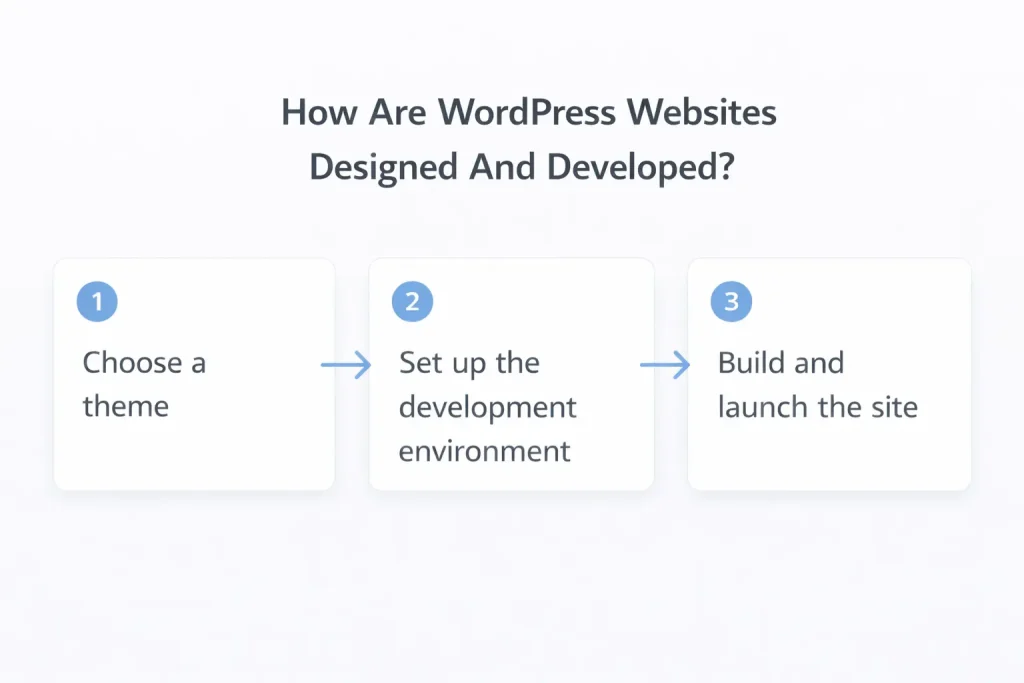
After installation, the design is customized using the block editor, page builders, or basic CSS to adjust layouts, colors, and fonts. Developers or WordPress agencies may add custom branding, improve mobile responsiveness, and refine the overall user experience.
Plugins are then installed to add features like SEO tools, contact forms, or e commerce functions. Finally, the website is tested for performance, security, and usability before going live.
What Is The Cost Of Designing A WordPress Website?
The cost of designing a WordPress website can range from $100 to over $10,000, depending on the design, features, and level of customization. A basic website using free themes and standard plugins usually costs between $100 and $500, which covers domain registration, hosting, and essential setup.
A mid range website with premium themes, custom design elements, and additional features typically costs between $1,000 and $3,000. For fully custom WordPress websites built by a development company, including e commerce functionality or advanced integrations, costs can exceed $5,000, depending on project complexity.
Related Articles: How Much Does A Website Cost In Malaysia In 2025?
Is WordPress.com Different from WordPress.org?
Yes, WordPress.com and WordPress.org are different in terms of hosting, control, and customization.
- WordPress.com is a hosted platform managed by Automattic. It handles hosting, updates, and security for you, making it easy to start. However, customization is limited, especially on free and lower tier plans, with restricted access to themes, plugins, and code.
- WordPress.org is the self hosted, open source version of WordPress. You install it on your own hosting server and have full control over themes, plugins, and site functionality. While you are responsible for hosting and maintenance, it offers complete flexibility and scalability.
In short, WordPress.com is easier for beginners, while WordPress.org is better for users who want full control and long term growth.
Frequently Asked Questions (FAQ)
What is a WordPress website used for?
A WordPress website can be used for business sites, blogs, eCommerce, portfolios, and enterprise platforms.
Is WordPress good for SEO?
Yes, when configured correctly, WordPress provides strong SEO foundations.
Is WordPress free?
The WordPress software is free, but hosting, design, development, and maintenance involve costs.
Can WordPress handle large websites?
Yes. With proper architecture, WordPress can support high traffic and complex systems.
Visit our page if you need more details.
Also Read:
- What Is a Content Management System (CMS)? 2026
- 10 Best CMS Platforms to Build With in 2026 (Compared)
- 10 Best E-Commerce CMS Platforms to Boost Your Sales (2026)
- WordPress vs Wix (Malaysia 2025): Which Is Best for Your Website?
- Shopify vs. WooCommerce (2026): Which Is Better?
- 10 Best Ecommerce WordPress Themes for Online Stores (2026 Guide)
- 10 Best WordPress Plugins 2025 for Every Website
Stay Connected: Website | Facebook | Instagram | TikTok | Lemon8 | Xiaohongshu
Share This Article: